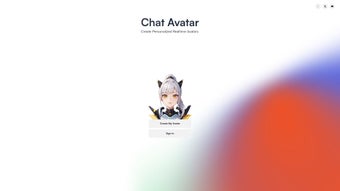

Download ChatAvatar.me – AI‑Powered Realistic Avatar Creator, Free & Secure
Overview
In today’s hyper‑connected world, a visual identity that feels authentic can make the difference between being ignored and being remembered. ChatAvatar.me answers that need by offering a browser‑based, AI‑driven avatar generator that transforms a simple selfie into a lifelike, expressive digital persona in seconds. The service is built on cutting‑edge deep‑learning models that not only replicate facial geometry but also capture subtle emotions—smiles, winks, surprise, and concentration—so the resulting avatar feels genuinely alive.
Because all processing occurs in the cloud and the user interface lives entirely in the browser, there is no need to download bulky software, install plugins, or worry about local storage of personal images. This design philosophy delivers three core benefits: speed, privacy, and universal accessibility. Whether you are a streamer who wants a unique on‑screen character, a marketer seeking a consistent brand mascot, a teacher looking for a friendly virtual helper, or a developer needing an avatar API for a chatbot, ChatAvatar.me provides a free, secure, and instantly usable solution.
While the platform shines in creating a single high‑quality avatar, it currently lacks advanced bulk‑creation tools and deep integrations with every social platform. Nonetheless, its ease of use, cross‑device compatibility, and strong privacy stance make it a standout option for anyone who wants to humanize online interactions without the steep learning curve of traditional 3D modeling software. This review dives deep into its feature set, installation process, system requirements, and the pros and cons you should weigh before adopting it for personal or professional use.
Key Features
- Real‑time avatar generation: Instantly renders high‑resolution, photo‑realistic avatars directly in the browser.
- Emotion mapping: AI analyses facial expressions and reproduces them on the avatar, adding dynamic personality.
- Extensive customization: Fine‑tune skin tone, hair style, clothing, accessories, lighting, and background themes.
- Cross‑platform availability: Works on Windows, macOS, Linux, Android, and iOS browsers without any additional software.
- Developer‑friendly JSON sign‑in: Simple API‑style authentication enables seamless integration with bots, games, and web apps.
- Secure, no‑download model: All image processing stays within the browser session, guaranteeing that personal photos are never stored on the server.
- Multiple export formats: Download avatars as PNG for static use, SVG for vector scalability, or animated GIF for simple motion.
- Free core tier with optional premium packs: The essential avatar creation tools are free, while advanced styling packs and priority rendering queues are available for purchase.
- Keyboard shortcuts & accessibility: Power users can accelerate workflow with shortcuts like Ctrl + Z (undo) and Ctrl + S (save).
- Comprehensive documentation & tutorials: Short video guides and step‑by‑step articles help newcomers achieve professional results quickly.
Installation & Usage Instructions
Getting started with ChatAvatar.me is intentionally frictionless. The service is completely web‑based, so the only prerequisite is a modern browser—Chrome, Edge, Safari, or Firefox—running on a device with an internet connection. No account creation is required for basic avatar generation, though registering with an email or Google account unlocks cloud storage for your creations and grants access to premium styling packs.
Step‑by‑step guide:
- Navigate to chatavatar.me and click the “Create Avatar” button on the landing page.
- Upload a clear, front‑facing photo (or enable webcam capture for instant snapping).
- The AI engine analyzes facial landmarks, lighting, and expression, then produces a base avatar within 5‑10 seconds.
- Use the left‑hand toolbar to adjust facial geometry, swap hairstyles, add glasses, hats, or change the outfit.
- Open the “Emotion” panel to apply smile, wink, surprise, or custom expression presets; the avatar updates in real time.
- When satisfied, click “Export” and choose your preferred format—PNG for static use, SVG for scalable graphics, or GIF for a short animation.
- For developers, click the “Integrate” tab, copy the JSON sign‑in snippet, and paste it into your application’s authentication flow to retrieve avatar URLs programmatically.
The entire workflow is designed to be intuitive for beginners yet powerful enough for power users. The UI includes helpful tooltips, a “Reset” button for quick start‑over, and a “History” panel that tracks recent changes, allowing you to revert to earlier versions without losing progress. If you encounter any difficulties, a “Help” icon opens a modal with a searchable knowledge base and links to short tutorial videos that demonstrate best practices for photo selection, lighting conditions, and advanced styling. Because the heavy processing runs on secure cloud servers, the client side only needs enough RAM to render an HTML5 canvas, making the tool usable even on low‑end smartphones. For optimal performance with high‑resolution exports, a stable broadband connection (minimum 5 Mbps) is recommended.
Pros, Cons, Compatibility & Frequently Asked Questions
Compatibility
ChatAvatar.me’s browser‑only architecture guarantees compatibility across virtually every operating system that supports a modern web browser. Tested platforms include Windows 10/11, macOS Ventura, Ubuntu 22.04, Android 12+, and iOS 16+. The service adheres to WebGL 2.0 standards, ensuring smooth 3D rendering even on devices with modest graphics capabilities.
Since no native client is installed, users benefit from automatic updates—new features and security patches are delivered instantly on the server side, eliminating the need for manual upgrades. While low‑end devices can generate avatars quickly, exporting at the highest resolution (4K PNG) may be slower on older hardware or slower internet connections. Nevertheless, the platform remains responsive, and the fallback to lower‑resolution previews ensures a consistent experience across all devices.
Pros
- Instant, high‑quality avatar creation without any software download.
- Emotion‑driven animations add a human touch to digital communication.
- Broad device compatibility; works on Windows, macOS, Linux, Android, and iOS browsers.
- Free core features make it accessible to hobbyists, educators, and small businesses.
- Privacy‑first design: images never persist on the server after rendering.
- Extensive customization options let users craft truly unique characters.
- Developer‑friendly JSON sign‑in simplifies integration with third‑party apps.
- Regular automatic updates keep the AI models and security patches current.
- Comprehensive documentation, video tutorials, and responsive support.
- Multiple export formats support a wide range of use‑cases, from social media to print.
Cons
- Limited to a single avatar per free account; bulk creation requires manual effort.
- No native one‑click sharing to social platforms; users must export and upload manually.
- Advanced styling packs and priority rendering queues are behind a paywall.
- Lacks dedicated team or agency management tools for handling multiple avatars.
- Official integration documentation currently covers only a few channels (Discord, Twitter).
- High‑resolution exports may be slower on low‑bandwidth connections.
- Customization UI, while powerful, can feel overwhelming for absolute beginners.
- No offline mode; an internet connection is required for every avatar generation.
- Exported animated GIFs are limited to short, looping sequences.
- Free tier does not include access to premium background packs or exclusive accessories.
Frequently Asked Questions
Is ChatAvatar.me really free?
Yes. The core avatar creation engine is completely free. Premium styling packs, priority rendering, and commercial licensing are optional paid upgrades.
Can I use the avatars for commercial purposes?
Commercial use is permitted under the standard license, but you must have a paid subscription for any premium assets you incorporate. Free avatars may be used for personal branding but not for large‑scale commercial campaigns without acquiring the appropriate license.
How secure is my uploaded photo?
All uploads are transmitted over HTTPS, processed in memory, and deleted immediately after the avatar is rendered. No permanent copies are stored on the server, and the temporary data is cleared automatically when the browser session ends.
Does the tool work on mobile browsers?
Yes. The responsive UI adapts to both iOS Safari and Android Chrome, allowing you to create, customize, and export avatars directly from smartphones or tablets.
Can I integrate ChatAvatar.me with my own app?
Developers can use the provided JSON sign‑in endpoint to authenticate users and retrieve avatar URLs via a simple REST call. Full API documentation, example code snippets, and SDKs for JavaScript, Python, and Node are available in the “Integrations” section of the website.
Conclusion – Why You Should Download ChatAvatar.me Today
In a digital landscape where visual storytelling drives engagement, ChatAvatar.me delivers a powerful blend of realism, speed, and accessibility that few competitors can match. Its AI‑driven engine eliminates the steep learning curve associated with traditional 3D modeling, while the browser‑only architecture guarantees that users retain full control over their privacy. Whether you are a content creator looking to stand out on Twitch, a marketer seeking a personable brand mascot, an educator wanting a friendly virtual assistant, or a developer needing a plug‑and‑play avatar service, the free tier provides more than enough power to get started.
The few limitations—such as the lack of bulk avatar management and a limited set of native social integrations—are outweighed by the platform’s ease of use, high‑quality output, and strong security posture. If you value a realistic, emotion‑aware avatar that you can create in minutes without installing software, ChatAvatar.me is the tool to choose. Download it today, craft a digital likeness that truly reflects you, and watch your online presence become more engaging, authentic, and memorable across every platform you use.
Start creating your avatar for free and experience the future of personalized digital communication now.
ChatAvatar.me impresses with its instant, realistic avatar generation and seamless browser experience. While it could improve multi‑avatar handling, the free core features and strong privacy stance make it a top choice for anyone looking to humanize their online interactions.



.png)



